Script Editing
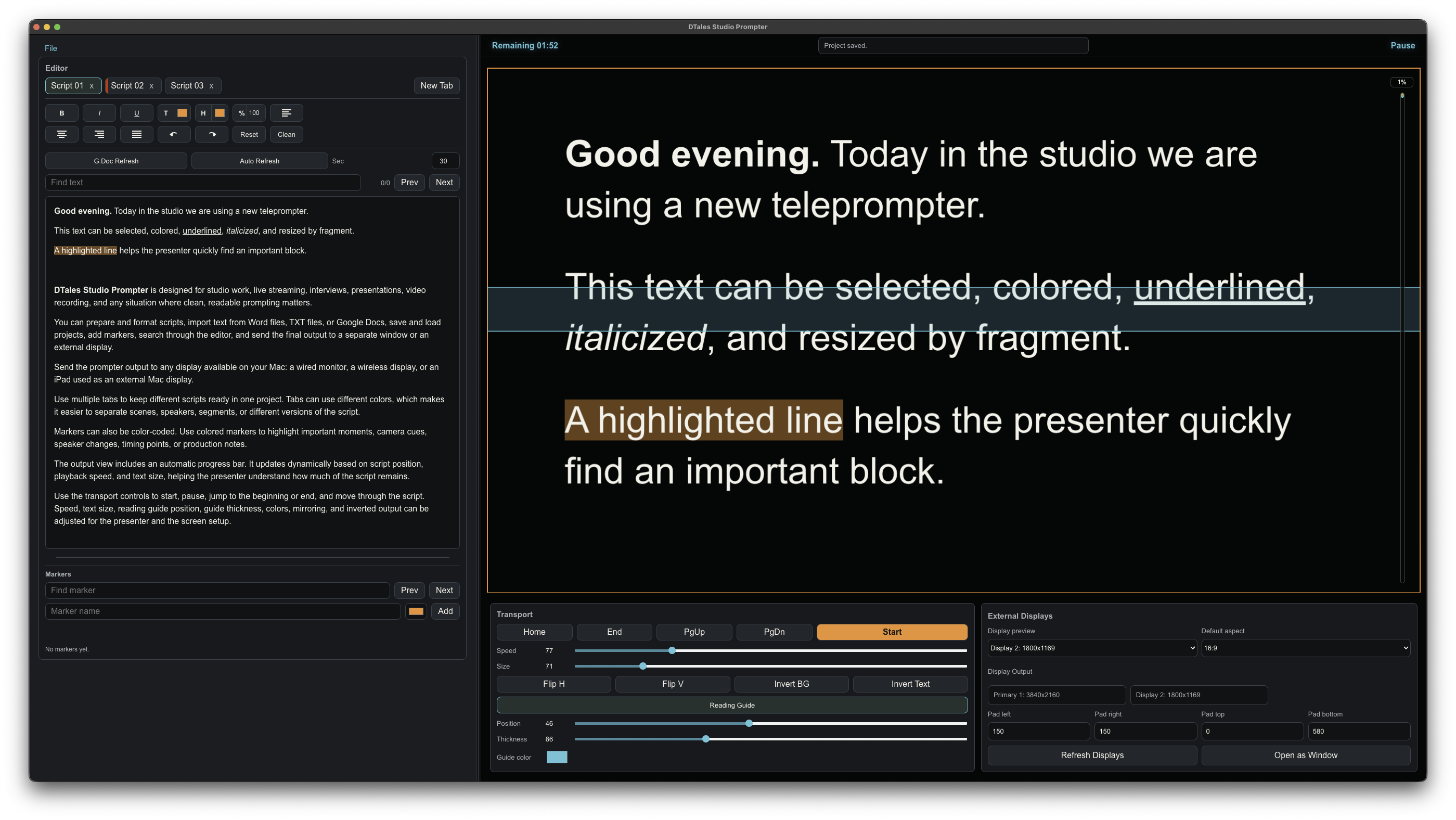
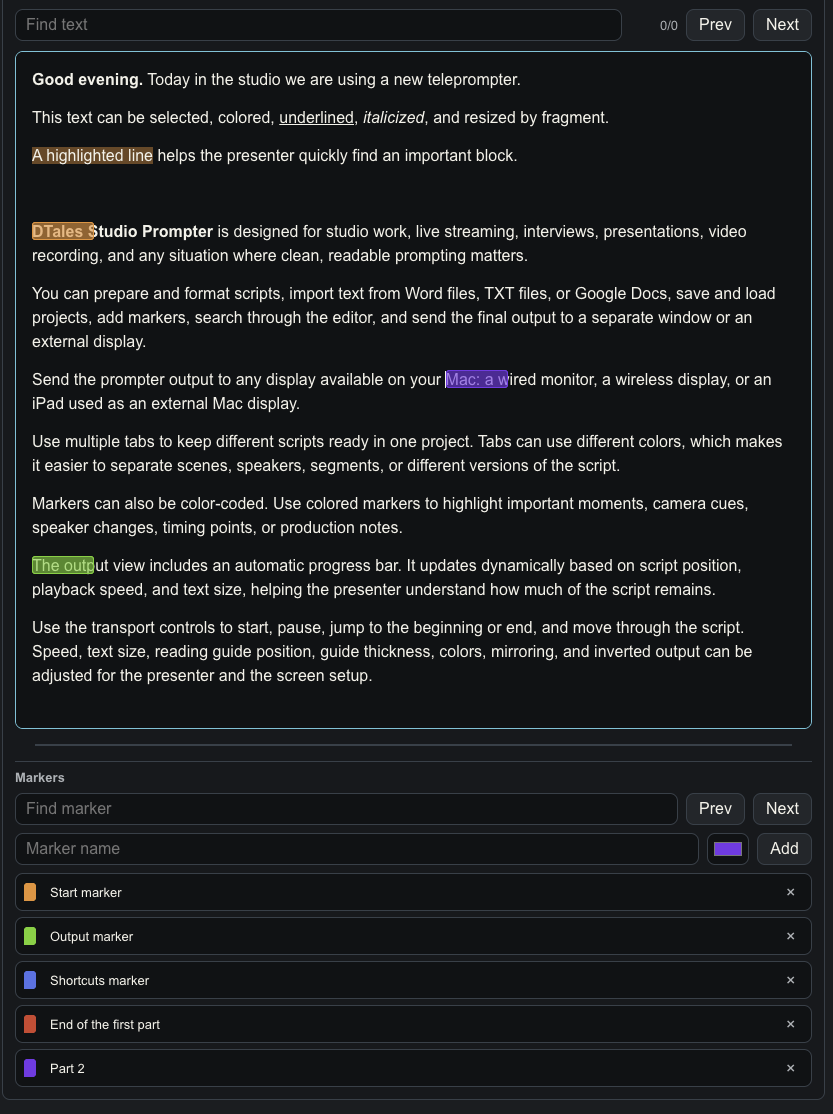
Write and format scripts, import text from Word files, TXT files, or Google Docs, and organize multiple scripts with tabs.
DTales Studio Prompter is a professional teleprompter for studio work, live streaming, interviews, presentations, video recording, and creator workflows.
Write and format scripts, import text from Word files, TXT files, or Google Docs, and organize multiple scripts with tabs.
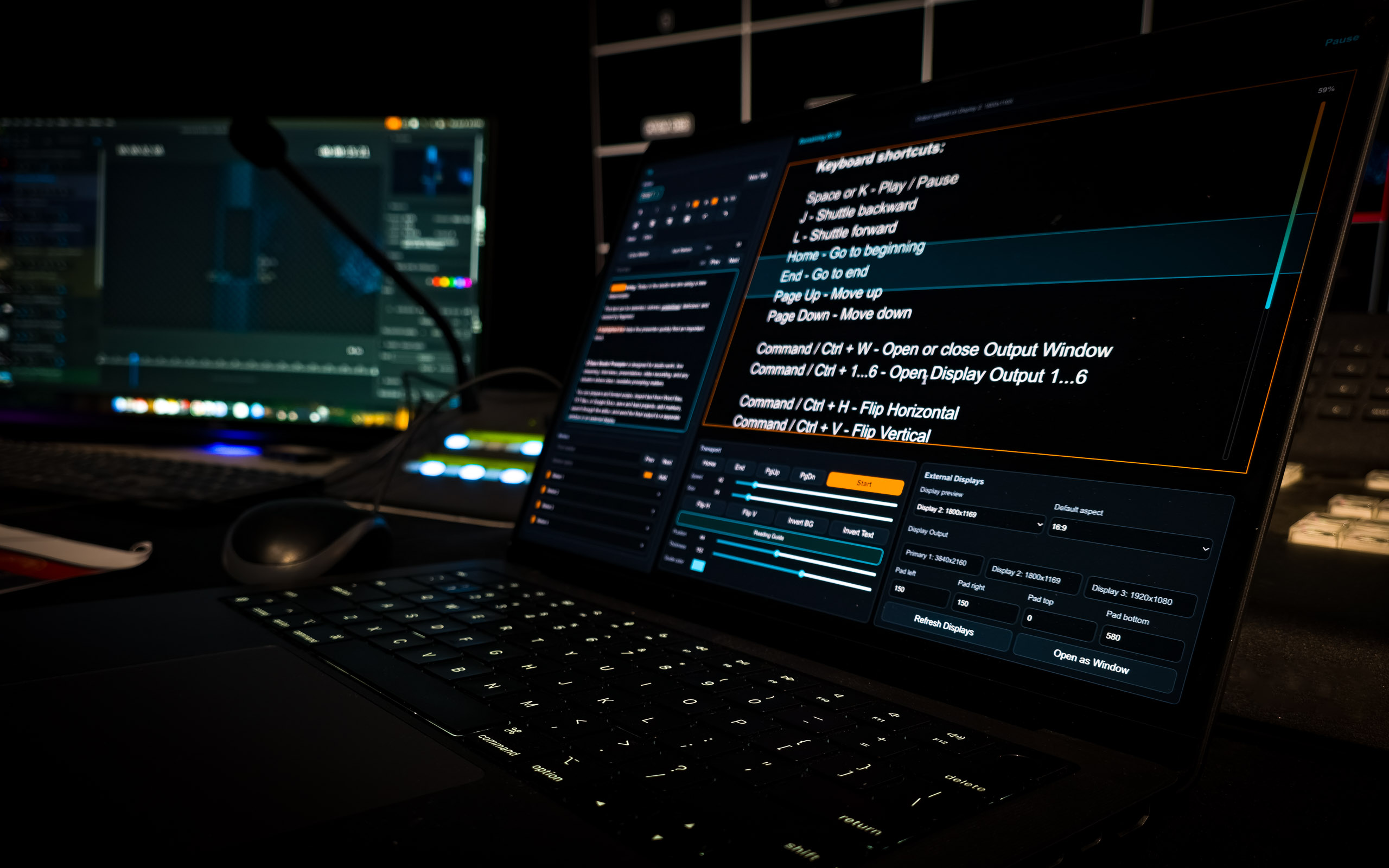
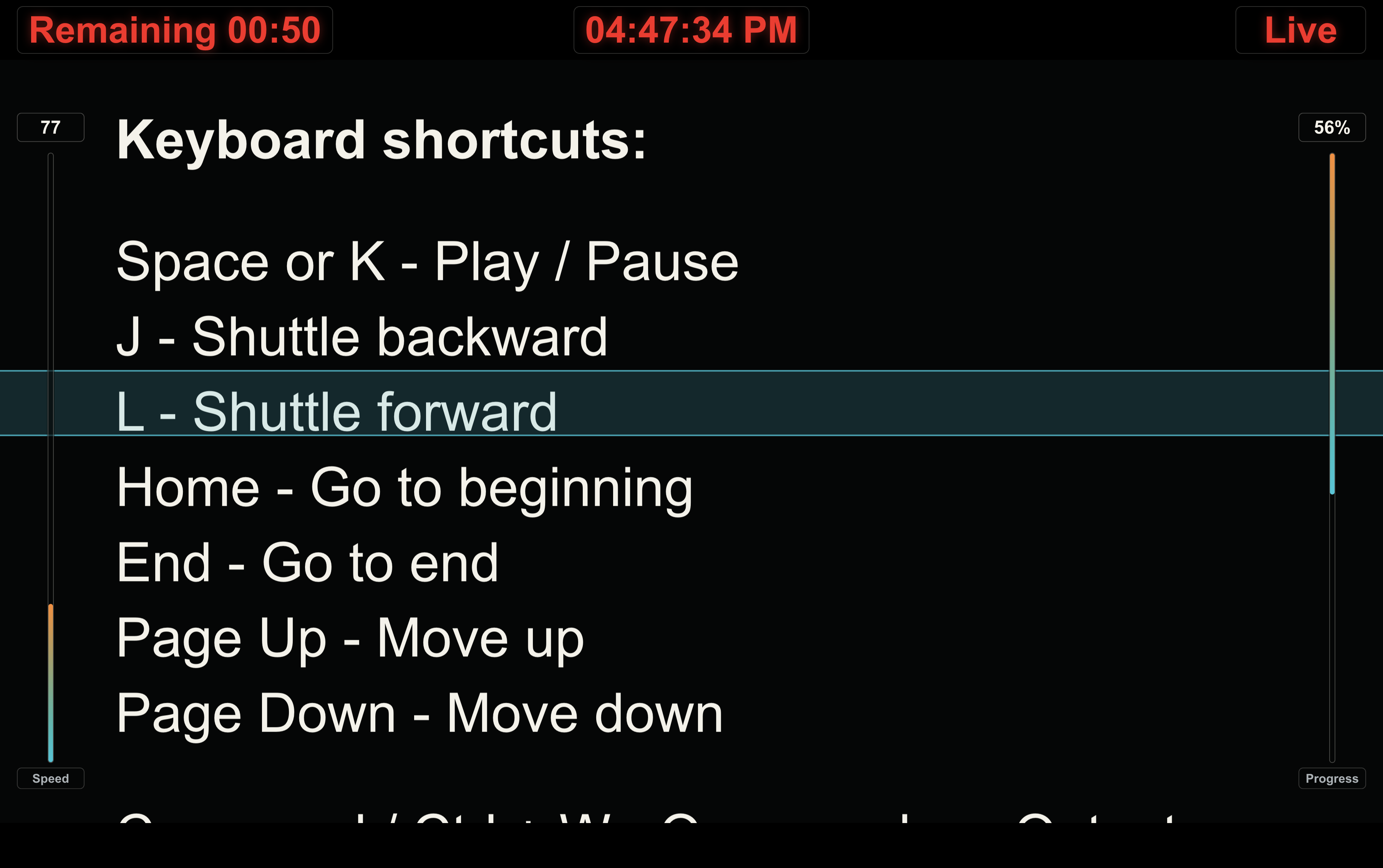
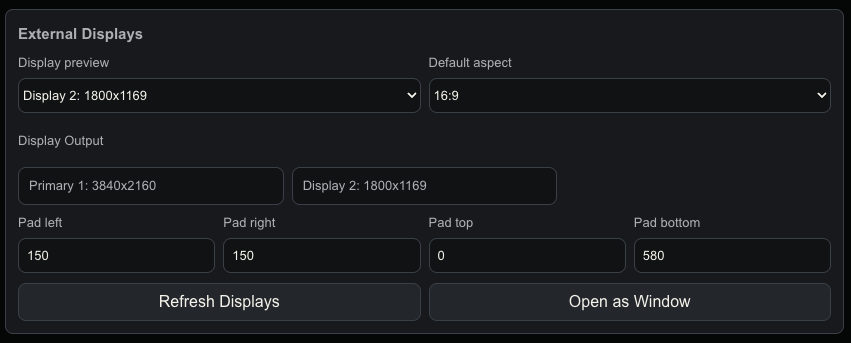
Send clean prompter output to a separate window, wired displays, wireless displays, or an iPad used as an external Mac display.
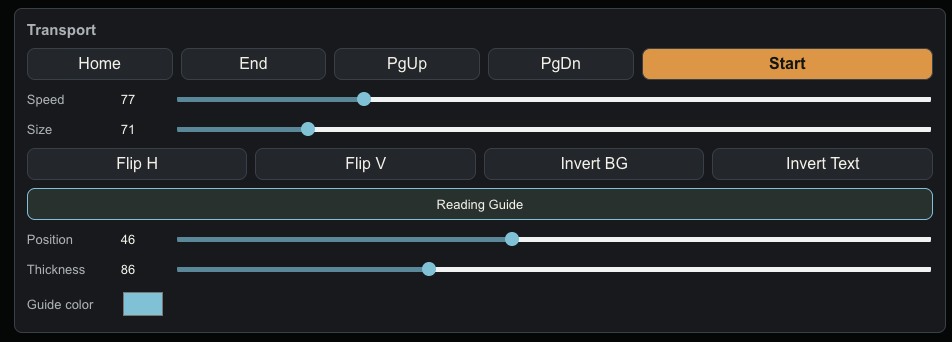
Adjust speed, text size, reading guide, mirroring, colors, progress, and playback from keyboard or mouse controls.
If you need help with DTales Studio Prompter, have a question, or want to report a problem, please contact support.
Email: [email protected]
DTales Studio Prompter can import text from Word files, TXT files, and Google Docs links.
If you use Google Docs import, you can refresh the document manually or use Auto Refresh to update the text at a selected interval.
You can send the teleprompter output to a separate window, a wired external display, a wireless display, or an iPad used as an external Mac display.
You can save and load projects to keep scripts, tabs, markers, formatting, and teleprompter settings ready for future sessions.
DTales Studio Prompter does not collect, sell, rent, or share your personal information.
June 11, 2026
DTales Studio Prompter is a macOS teleprompter application designed for writing, formatting, importing, saving, and displaying scripts for studio work, live streaming, interviews, presentations, and video production.
DTales Studio Prompter does not collect personal information, contact information, location data, usage analytics, advertising identifiers, payment information, crash analytics, tracking data, user accounts, or login information.
When you create, open, import, save, or load a project, the files remain on your Mac unless you choose to move, share, or back them up using your own system tools or cloud services.
DTales Studio Prompter may access files that you explicitly select, such as Word files, TXT files, or saved project files. This access is used only to provide the app's features.
If you import text from Google Docs, DTales Studio Prompter uses the Google Docs link that you provide to retrieve the document content for use inside the app.
The app does not send your Google Docs link or document content to the developer. The document content is used locally in the app for editing, formatting, and teleprompter output.
Projects and app settings may be stored locally on your Mac. This information is not transmitted to the developer.
DTales Studio Prompter does not include third-party advertising, analytics, or tracking services.
Network access may be used only for features that require it, such as importing content from a Google Docs link provided by the user.
DTales Studio Prompter is not designed to collect personal information from children. The app does not knowingly collect personal information from anyone, including children.
We do not sell, rent, trade, or share user data with third parties.
You control the scripts, files, projects, and links you use with DTales Studio Prompter. You may delete your local project files or app data from your Mac at any time.
We may update this Privacy Policy from time to time. Any changes will be posted on this page with an updated effective date.
If you have questions about this Privacy Policy or DTales Studio Prompter, please contact [email protected].